WELCOME TO NEXUS
Precision Built Into Every Profile.
NEXUS brings operator profiles, sensitivity tools, trigger controls, automatic detection, save-file management, and client preferences into one unified Rainbow Six Siege configuration experience.
Unified configuration
Local profile control
Precision tools

ONE UNIFIED SYSTEM
Everything connected.
One central workspace for operator profiles, configuration files, client controls, and normalized sensitivity input.
NEXUS WORKSPACE READY
ONE CENTRAL SYSTEM
Everything Organized Through NEXUS
NEXUS keeps the current client workflow in one place: operators, sensitivity conversion, trigger controls, automatic detection, save files, and client preferences. The website now mirrors the current application instead of showing outdated client pages.
Operator Profiles
Browse every supported attacker and defender and open the shared operator configuration workspace.
Sensitivity & FOV
Normalize sensitivity, FOV, aspect ratio, and optic values from one conversion workspace.
Trigger Controls
Keep trigger-zone behavior, timing, activation options, and related controls on one dedicated page.
Auto Detection
Select the capture region and control the automatic detection behavior used by the current client.
Global Save Management
Import or export one complete NEXUS configuration instead of maintaining separate files per operator.
Client Settings
Control keybinds, appearance, performance, startup behavior, and other client preferences.
THE NEXUS LOADER
A Fresh Start for Every Session
The NEXUS Loader prepares and launches the application while keeping authentication, installation, and startup simple. Anyone may download the loader; a valid key is required when the application opens.
- 01Download the public loader
- 02Sign in or create an account
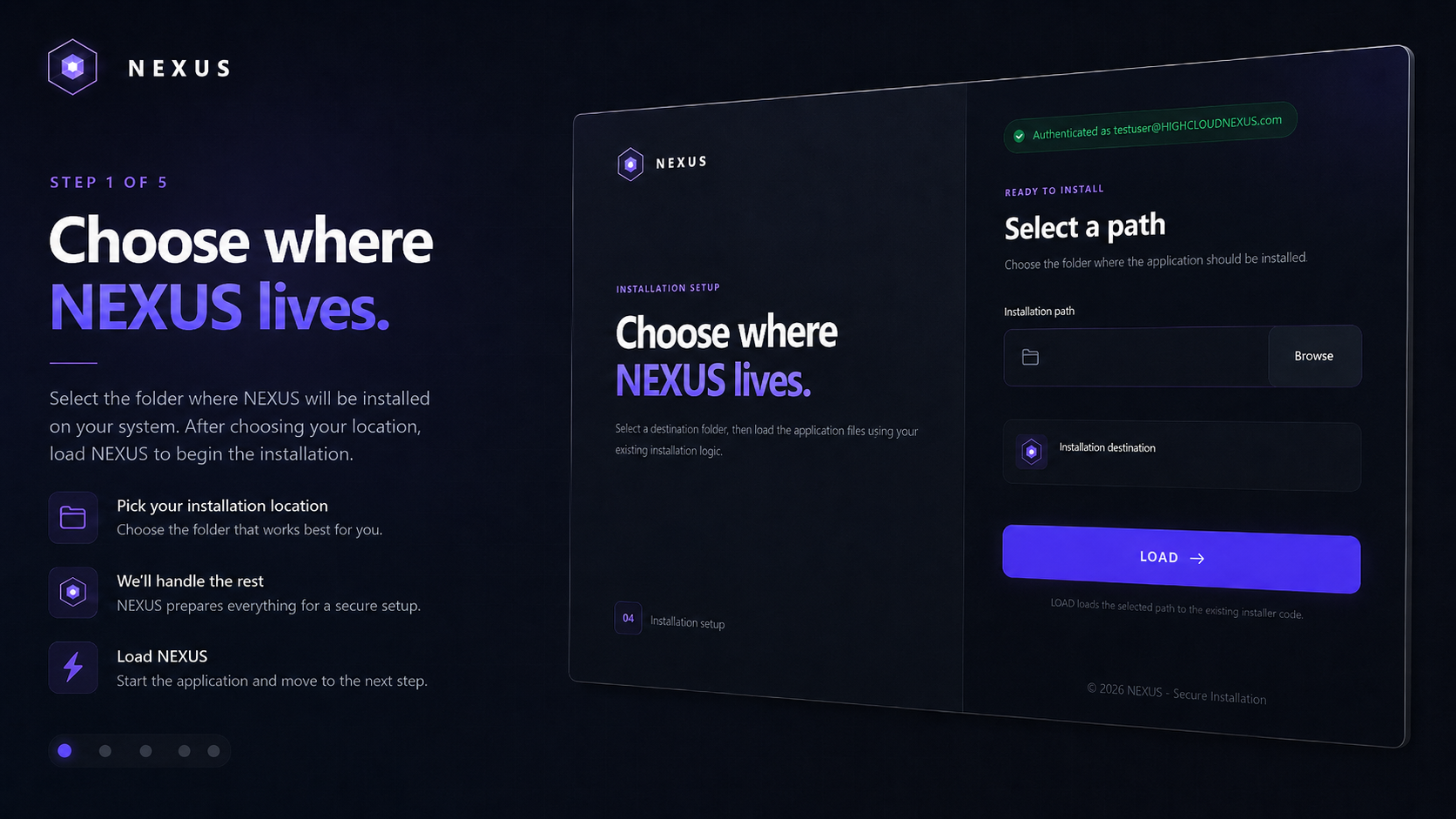
- 03Select the installation path
- 04Enter a valid license key
- 05Launch NEXUS
Free to download. A valid 30-day or lifetime NEXUS license is required for activation.
CENTRAL CONTROL
Your Configuration at a Glance
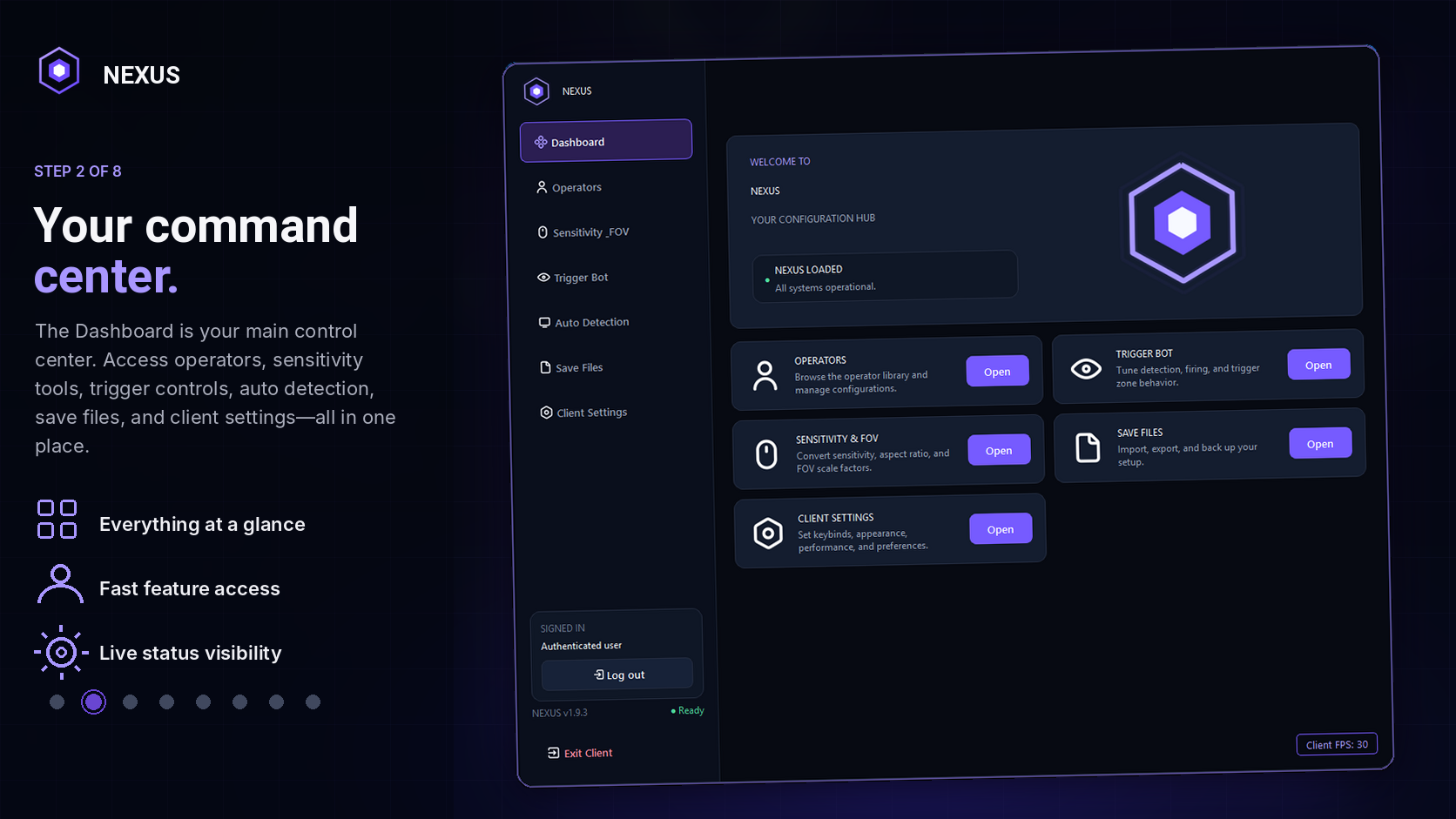
The Dashboard is the main control center. It confirms that NEXUS is loaded and provides direct routes into operator management, save files, settings, client controls, and the sensitivity converter.
Unifiedprofile overview
Directfeature access
Livestatus visibility
ALL OPERATORS
One Shared Workspace
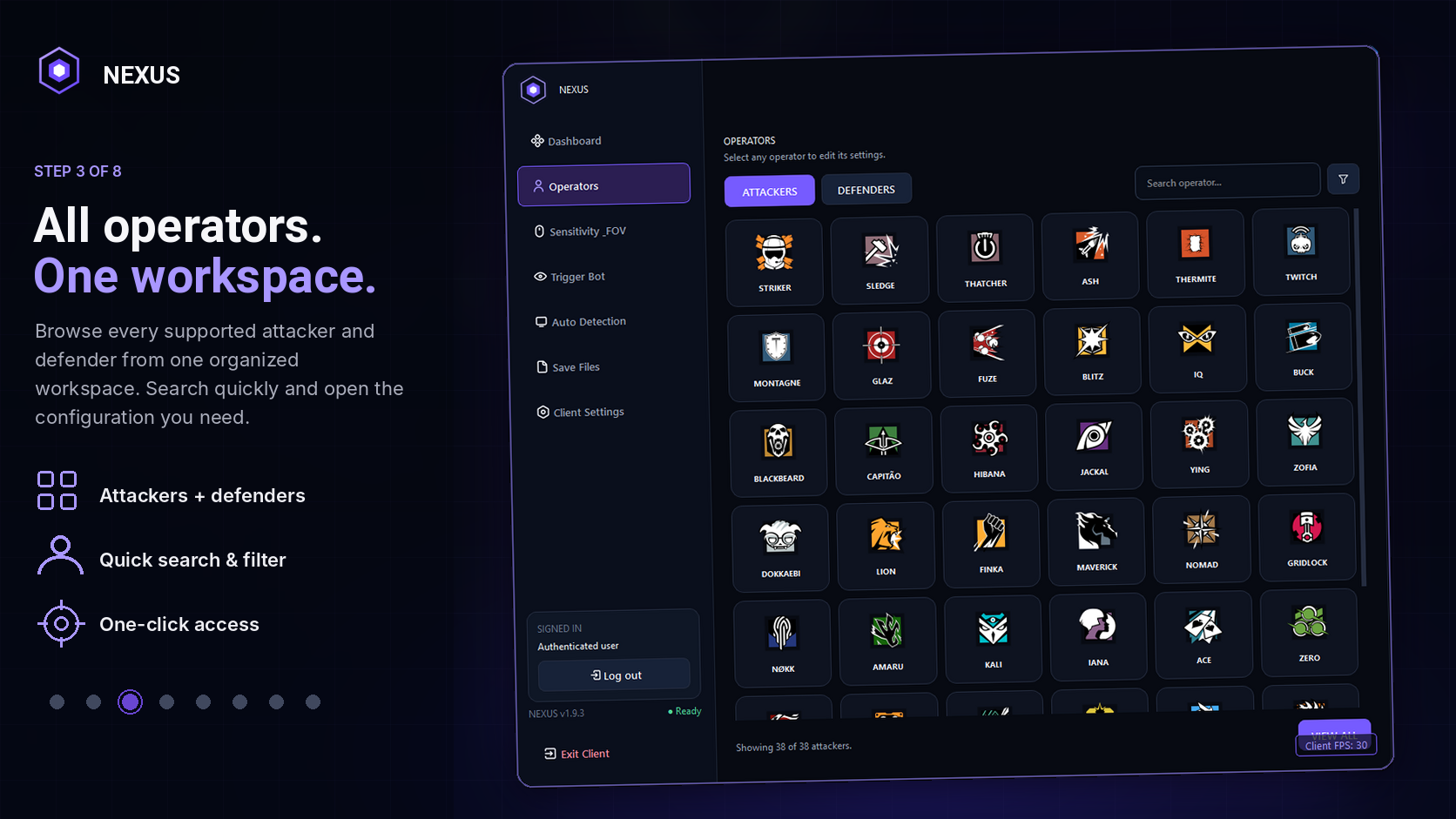
Browse attackers and defenders, search quickly, and open the reusable Operator Settings workspace with the matching operator data.
Operator groupsAttackers + Defenders
WorkspaceReusable
SearchInstant
ConfigurationCONNECTED
PRECISION CONVERSION
Normalize Your Settings
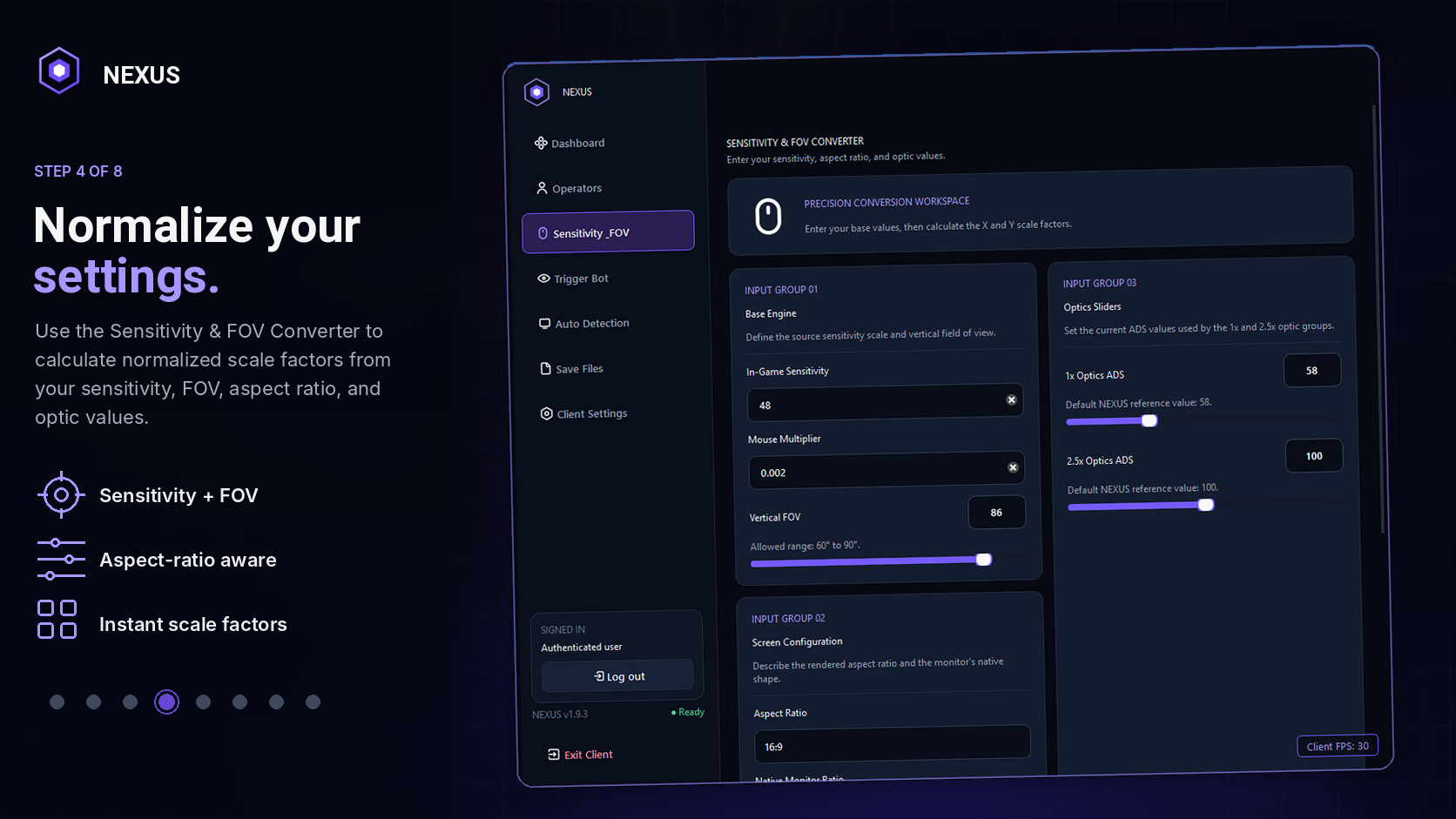
The current Sensitivity & FOV page combines base sensitivity, mouse multiplier, vertical FOV, aspect ratio, native ratio, and optic values in one calculation workflow.
Base sensitivityConfigurable
Vertical FOV60°–90°
RatiosAspect + Native
OutputsSCALE FACTORS
TRIGGER CONTROLS
Fine-Tune Your Trigger Behavior
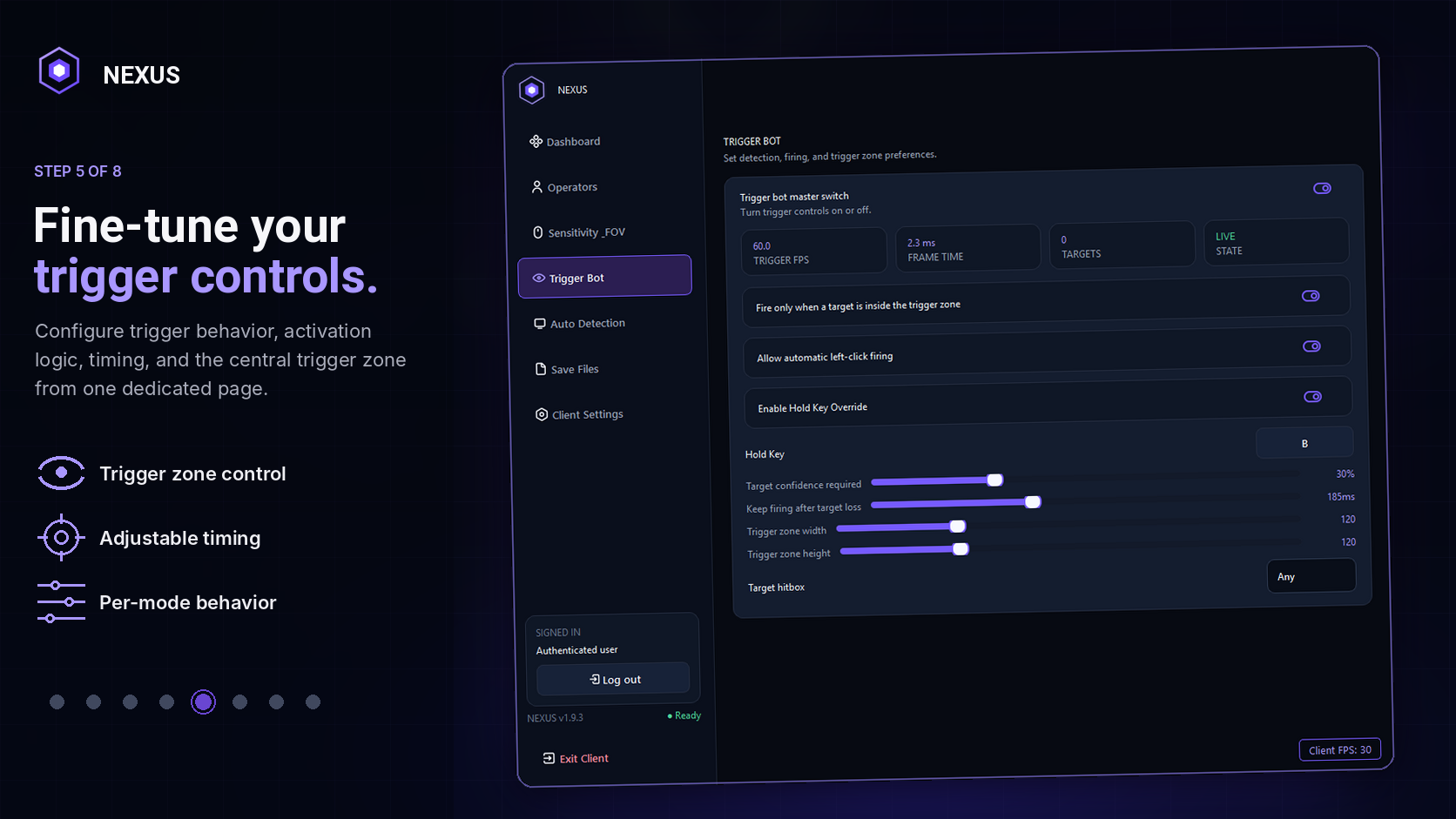
The dedicated Trigger Bot page brings activation, trigger-zone behavior, timing, confidence requirements, hold-key options, and target selection into one focused control surface.
- Dedicated master control
- Configurable trigger zone
- Timing and confidence controls
- Hold-key and target options
AUTO DETECTION
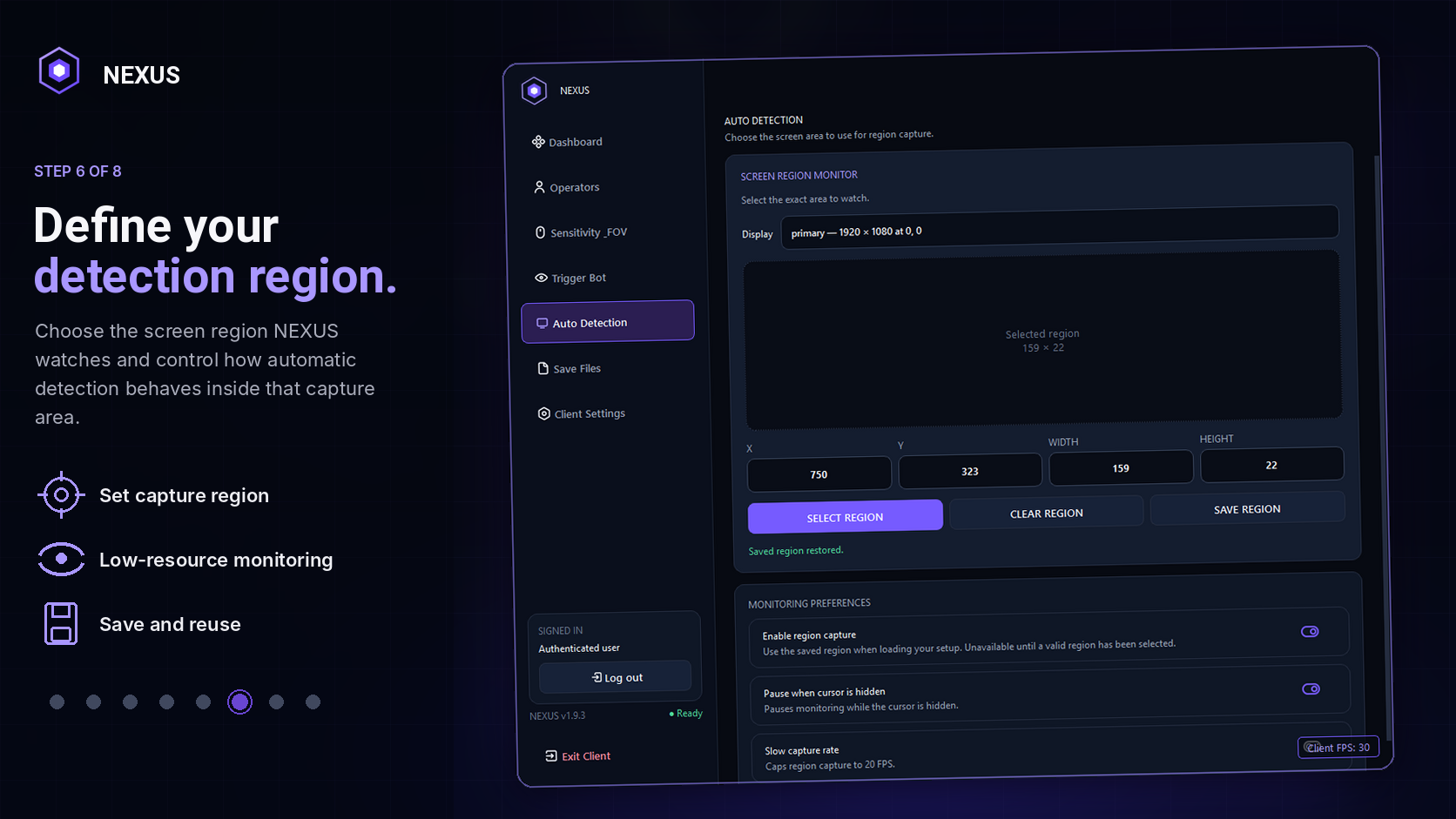
Define Your Detection Region
Choose the capture region NEXUS monitors and control the automatic-detection behavior from the same page, including capture and low-resource monitoring preferences.
Regionselect and save
Capturefocused workspace
Controlclient-side settings
ONE GLOBAL CONFIGURATION
One File. Everything.
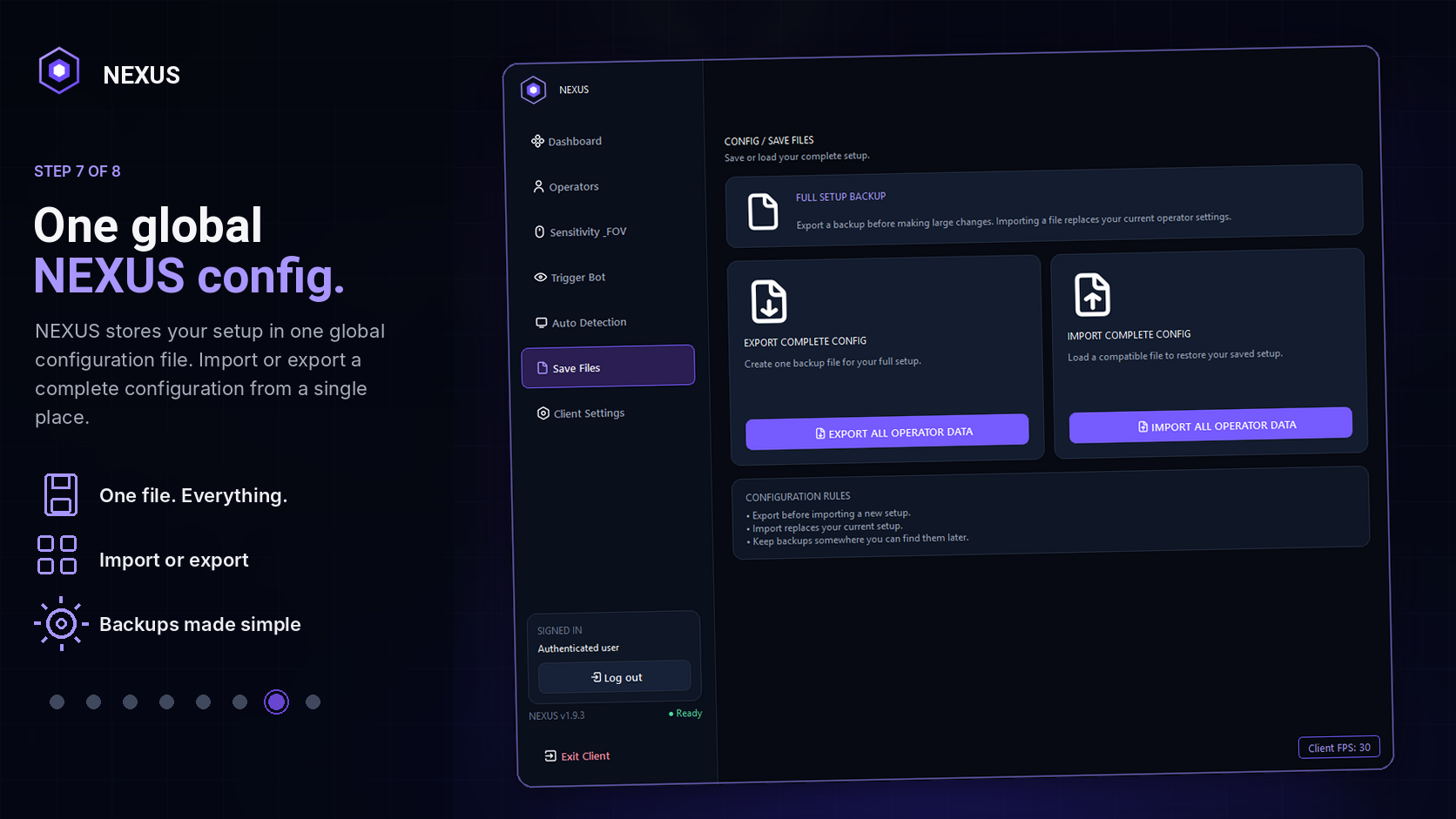
NEXUS stores the complete configuration in one global file. Importing restores the full setup and exporting creates a complete backup from one place.
- One complete configuration file
- Import and export from one page
- Simple backup workflow
- Current client layout
CLIENT SETTINGS
Customize Your NEXUS Experience
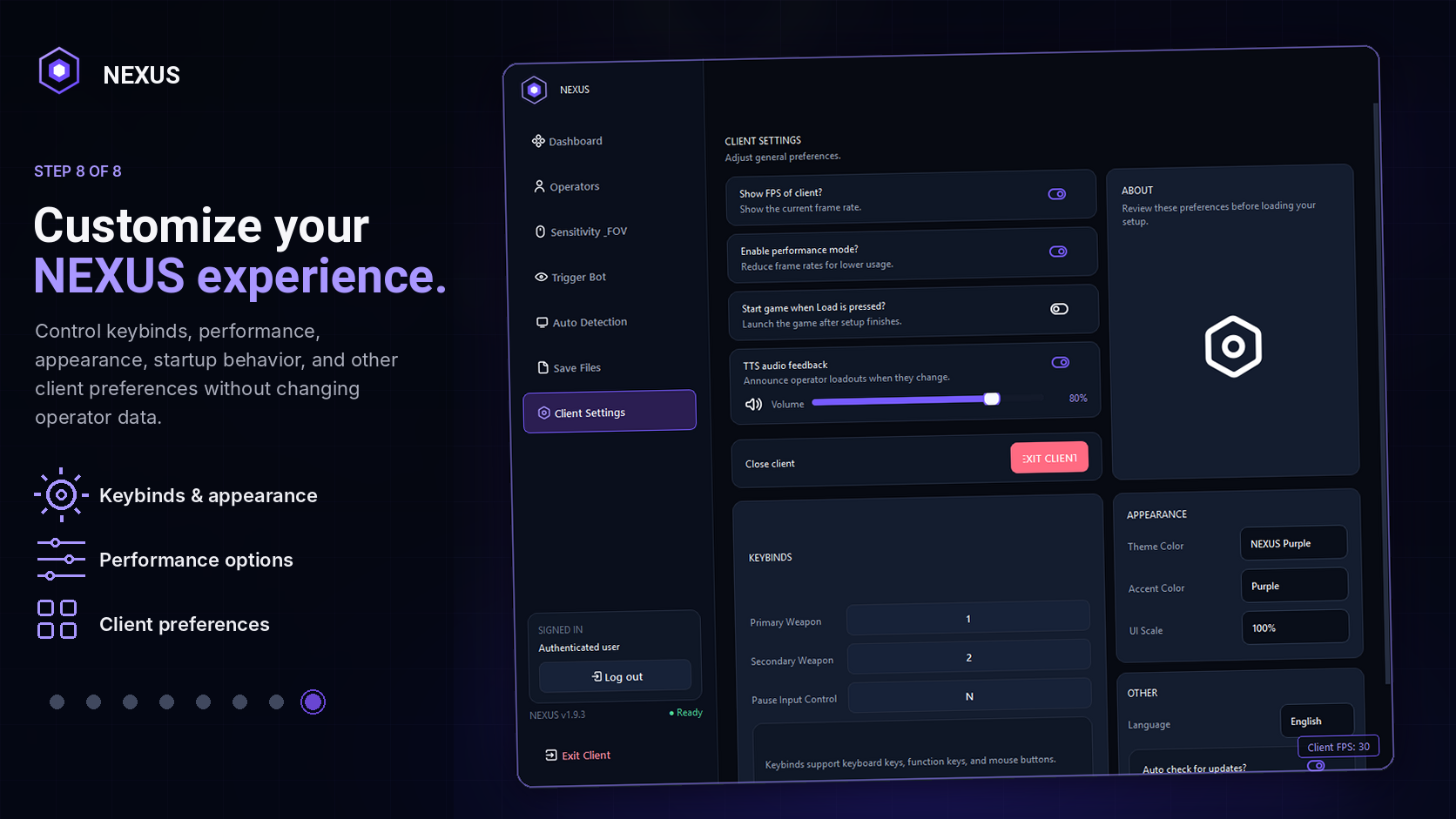
Client Settings now keeps keybinds, performance options, appearance, startup behavior, refresh preferences, and other client-side controls together.
Keybindsinput preferences
Performanceclient behavior
Appearancetheme + scale
ONE HUB
Learn What NEXUS Does
The complete platform connects operator profiles, sensitivity normalization, trigger controls, automatic detection, save-file management, and client settings through one visual language and one workflow.
Get NEXUS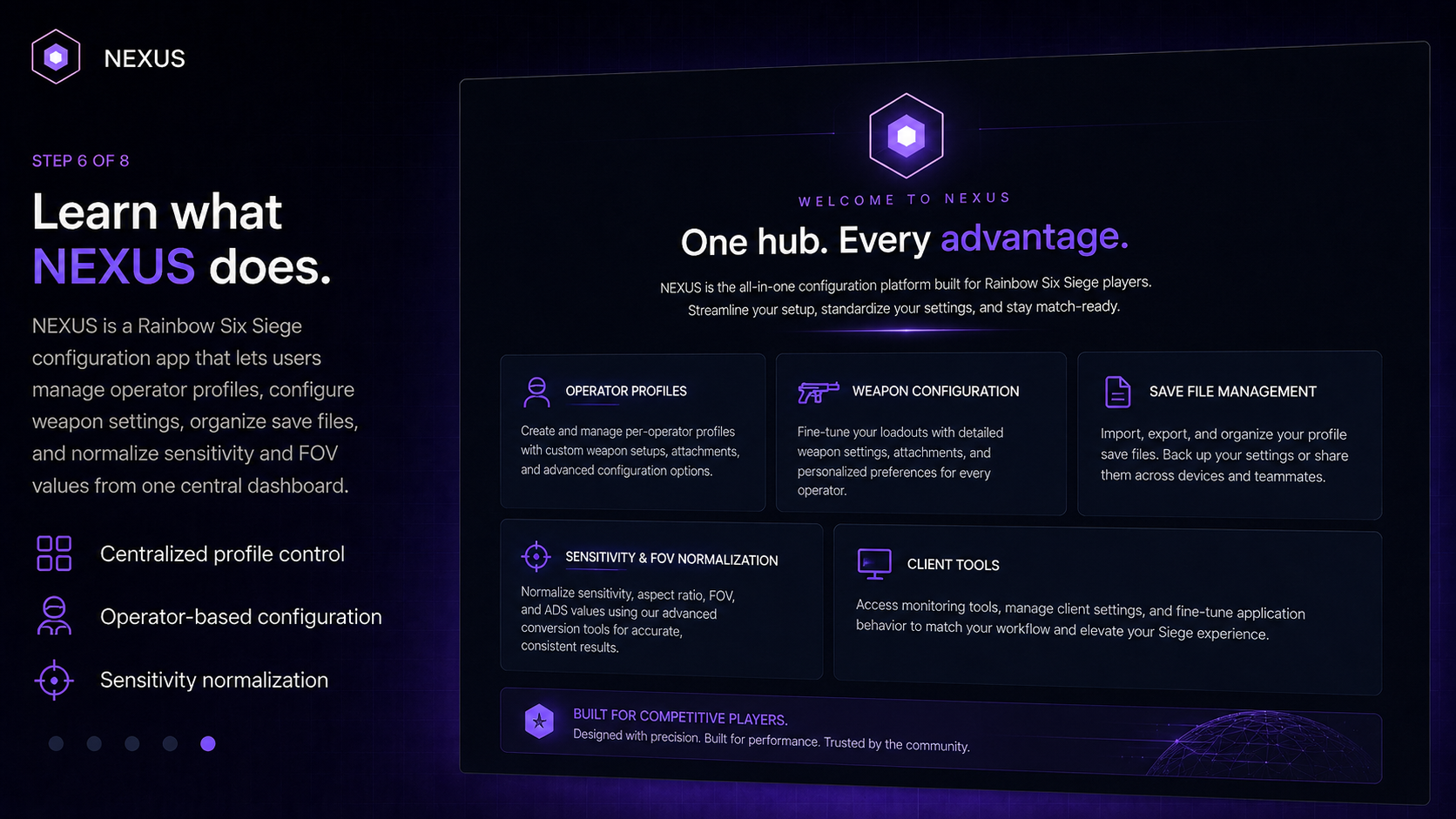
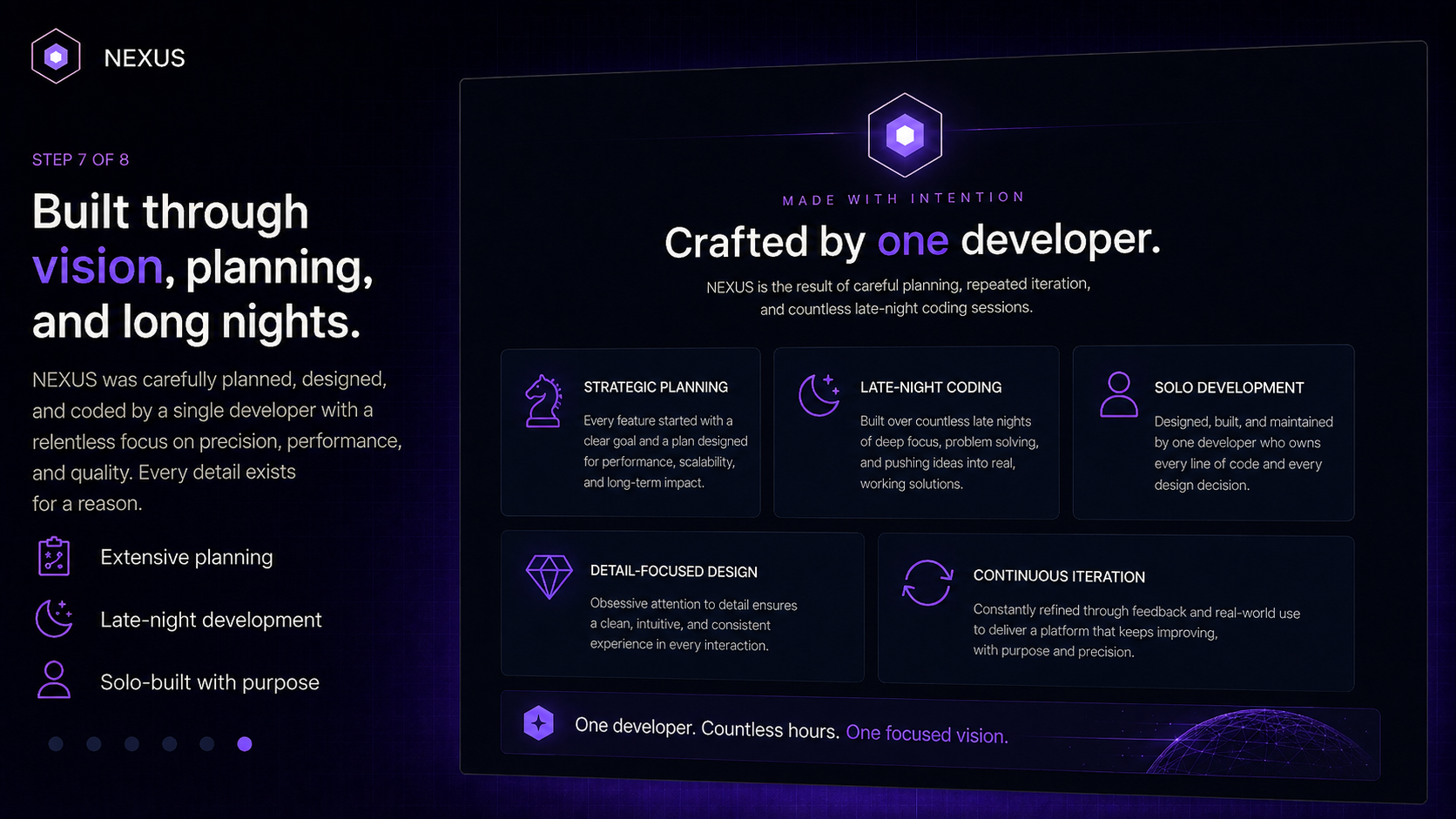
BUILT BY ONE DEVELOPER
Extensive Planning. Late Nights. One Vision.
NEXUS is planned, designed, developed, tested, and refined by one developer. Every page, interaction, configuration system, and workflow is shaped through repeated iteration and attention to detail.
DesignedDevelopedTestedRefined
SIMPLE ONE-TIME PRICING
Choose the Access Period That Fits
Neither option renews automatically.
FLEXIBLE ACCESS
30-Day License
$7 one time
- 30 days from first activation
- No automatic renewal
- Full included NEXUS access
LONG-TERM ACCESS
Lifetime License
$20 one time
- Supported commercial lifetime of NEXUS
- No automatic renewal
- No 30-day expiration
READY WHEN YOU ARE
Bring Every Configuration Together.
Download the public NEXUS loader now. Purchase is not required until the application asks for a valid activation key.
30-day and lifetime licenses are one-time purchases with no automatic renewal.